
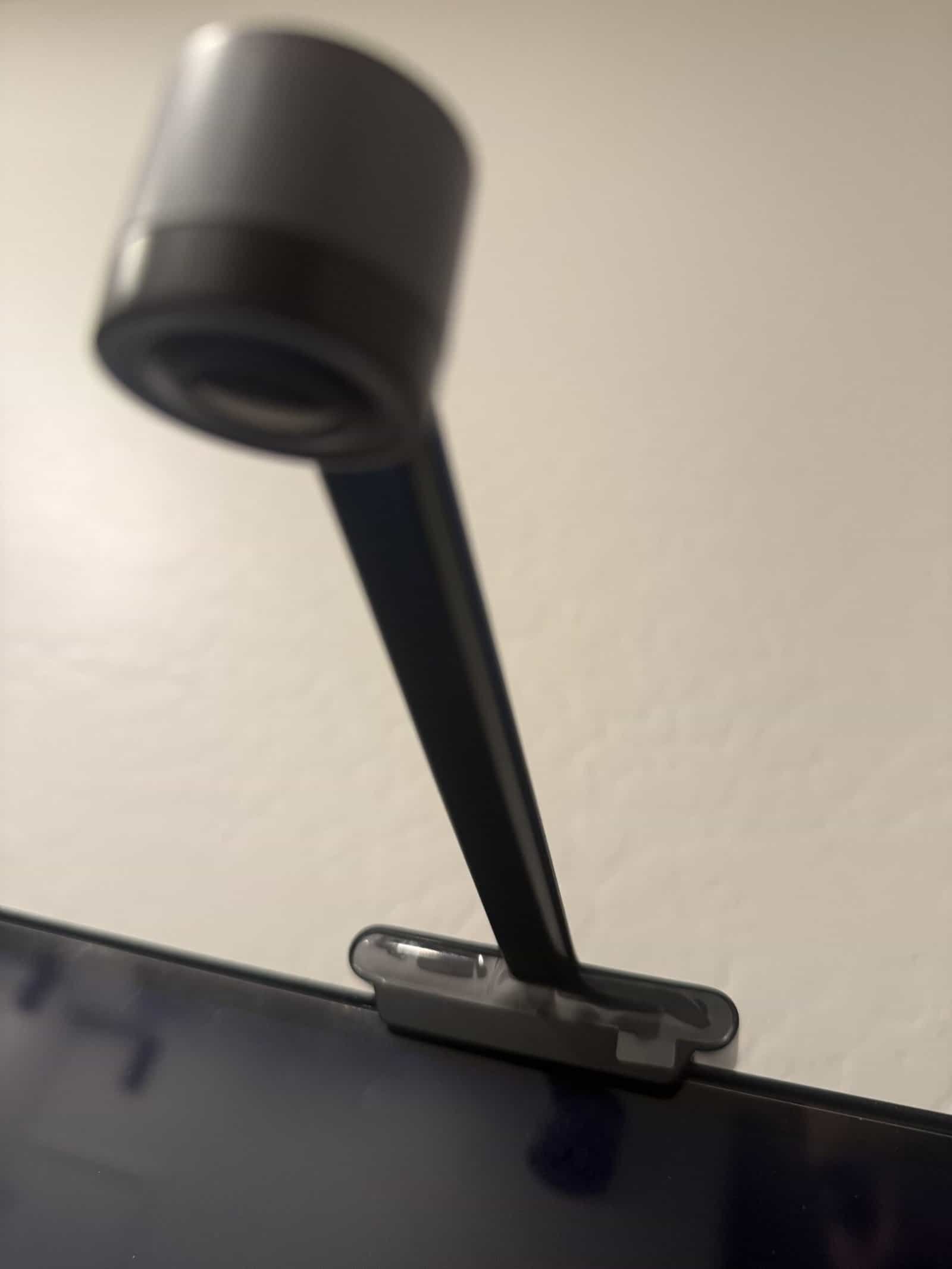
Screen-matching backlights split into two approaches, and the split decides almost everything about cost, setup, and how well the thing works. One reads the picture with a small camera pointed at the screen. The other sits between your source and the TV and reads the video signal directly.
Camera systems are cheaper, work with any source including built-in apps, and get the color wrong occasionally. Capture boxes are more accurate and considerably more expensive, and they only see what passes through them. Our roundup of smart light strips covers the non-syncing versions.
Quick Verdict
A camera system suits most people, particularly anyone watching through the TV’s own apps. A capture box makes sense if everything runs through one external source and you want accuracy.
Key Takeaways
- Camera systems work with built-in TV apps; capture boxes generally do not.
- Included adhesive is the weak point on almost every kit.
- Strip length must be measured against your specific TV.
- Capture boxes must match your source resolution and refresh rate.
- Ambient room light affects camera accuracy.
How We Picked
Kits are grouped by how they read the screen, since that determines compatibility with your setup more than any other feature. Mounting hardware and strip quality are weighted alongside, because those are what fail over time.
Selections reflect documented specifications. Descriptions come from product research except where personal use is stated directly.
1. A Camera-Based Kit, Best Overall
Why It Stands Out
A small camera clipped to the TV sees whatever is on screen regardless of where it came from, which means the TV’s own streaming apps work exactly like an external box.
That universality is the main argument, and it costs considerably less than a capture system.
Worth Knowing
Color accuracy is good rather than perfect, and it depends on calibration and room lighting.
The camera is visible on the TV, which some people mind. Our roundup of TV wall mounts covers placement.
This suits most setups. Skip it if a visible camera bothers you.
2. An HDMI Capture Box Kit, Best Accuracy
Why It Stands Out
Reading the video signal directly gives precise color and near-instant response, since it never has to interpret an image of a screen.
Nothing is visible on the TV, which suits anyone who wants the effect without the hardware showing.
Worth Knowing
It only sees sources routed through it, so the TV’s built-in apps produce nothing.
The box must support your source’s resolution and refresh rate, or it becomes a bottleneck. Our note on Bluetooth transmitters for TV covers another box in the chain.
This suits single-source setups. Skip it if you watch through the TV’s apps.
3. A Long Strip Kit for Large TVs, Best Coverage
Why It Stands Out
Kits sold for larger screens include enough strip to run the full perimeter without stretching, which is what produces even light rather than bright corners.
More LEDs per meter also means smoother color transitions across the back panel.
Worth Knowing
Buying a kit sized for a smaller TV and stretching it leaves gaps at one edge.
Longer strips draw more power and some need a higher-rated supply. Our roundup of TV stands covers what sits below.
This suits large screens. Skip it for anything under mid-size.
4. A Kit With Corner Connectors, Best Install Quality
Why It Stands Out
Purpose-made corner pieces let the strip turn cleanly instead of being bent, and bending an LED strip at the corner is the most common way people damage one during install.
Clean corners also sit flatter, which matters when the adhesive is already the weak point.
Worth Knowing
Connectors add points where a poor contact can kill a section of the strip.
They also add a little bulk behind a wall-mounted TV. Our note on entryway lighting covers tidying the rest.
This suits careful installs. Skip it if you want the simplest possible setup.
5. Mounting Clips and Tape, Best Reliability Upgrade
Why It Stands Out
The adhesive included with these kits is where they fail, and clips or better tape address that directly for very little money.
Adhesive-backed clips screwed or stuck to the TV back hold the strip mechanically rather than relying on the strip’s own backing.
Worth Knowing
Anything stuck to the back of a TV can mark the finish when removed.
Heat from the panel accelerates adhesive failure, so this is a when rather than an if. Our roundup of smart speakers covers the same problem elsewhere.
This suits every install. Skip it only if your kit already includes clips.
6. A Simple Static Bias Light, Best Budget Option
Why It Stands Out
A plain warm-white strip behind the TV delivers most of the eye-comfort benefit at a fraction of the price and with nothing to configure.
Nothing to sync means nothing to go wrong, and it works with every source automatically.
Worth Knowing
There is no color effect, which is the entire appeal of the syncing versions for most buyers.
Cheap strips vary in color temperature consistency. Our note on portable bluetooth speakers covers the comfort claim.
This suits anyone wanting comfort rather than effect. Skip it if the color matching is why you are buying.
Camera vs Capture Box at a Glance
| Camera | Capture box | |
|---|---|---|
| Works with TV apps | Yes | No |
| Color accuracy | Good | Better |
| Visible hardware | Camera on screen | None |
| Cost | Lower | Higher |
| Setup complexity | Calibration | Cable routing |
| Affected by room light | Yes | No |
What I Have and How It Holds Up
Mine is a camera-based setup, with a small camera clipped to the TV reading the picture. It has been on the back of the TV for a while now.
The color is right most of the time. It gets it wrong occasionally, usually on scenes where the dominant color is not obvious, and it is not often enough to be annoying. For what these cost, that accuracy is fine.
The part nobody mentions is the adhesive. Mine barely sticks any more, and I have to use tape to keep the strip in place. That is not a defect in one unit, it is what happens when a thin adhesive backing sits against a panel that warms up every time the TV is on.
What I would tell anyone buying one is to plan for that from the start. Clips or decent double-sided tape at install time saves discovering the problem when the strip is hanging off a corner mid-film.
What I cannot compare is a capture box system, since I have not used one. That section comes from research rather than from something on my TV.
Measuring and Fitting
Measure the back panel rather than trusting the screen size. Bezels and the mounting area mean the usable perimeter is smaller than the diagonal implies, and kits are sold by TV size rather than by strip length.
Plan where the strip starts and ends, since the controller and the power lead have to reach somewhere sensible without crossing the middle of the panel.
Clean the surface properly before sticking anything down. Dust on a TV back is what makes weak adhesive fail immediately rather than eventually.
Our note on soundbar app vs remote control covers the process in detail.
What to Look For
Which sources you actually use
If you watch through the TV’s own apps, a capture box will do nothing. This one question rules out half the market.
Strip length against your panel
Measure rather than trusting the size on the box, since the usable perimeter is what matters.
How it mounts
Included adhesive is the weak point on almost every kit. Clips or better tape are worth budgeting for.
Controller and app
Some need a phone app for everything, others include a remote. Consider how you will actually turn it on.
Common Mistakes to Avoid
Buying a capture box for a TV with built-in apps
The box only sees what routes through it. Streaming from the TV itself produces nothing at all.
Trusting the included adhesive
Heat and a thin backing mean it lets go eventually. Adding clips or tape at install is easier than fixing it later.
Sizing by screen diagonal
The usable perimeter on the back panel is shorter than the diagonal suggests, and a stretched strip leaves a dark edge.
Ignoring room lighting
Camera systems read the screen against ambient light. A bright room affects accuracy, and calibration in the conditions you actually watch in helps. Our roundup of smart light switches covers controlling the rest of the room.
Recommended Reading
See our note on do you need a subwoofer with a soundbar, our roundup of soundbars for small living rooms, our guide to choosing a soundbar, and a comparison of soundbars and Bluetooth speakers, and whether screen-matching lights are worth it, and whether backlights reduce eye strain.
TV Backlight FAQ
How does a TV backlight match the screen?
Either a small camera reads the picture from in front of the TV, or a box between your source and the TV reads the video signal directly. Camera systems work with any source; capture boxes only see what passes through them.
Which type should I buy?
If you watch through the TV’s built-in apps, a camera system, since a capture box produces nothing from those. If everything runs through one external box and you want accuracy, the capture route makes sense.
How accurate is the color?
Camera systems are good rather than perfect, occasionally reading a scene wrong where the dominant color is ambiguous. Capture boxes are more accurate because they read the signal instead of interpreting an image.
Does the adhesive hold?
Often not for long. Heat from the panel works against a thin adhesive backing, and strips lifting at corners is among the most common complaints. Clips or better double-sided tape at install time avoids it.
What size strip do I need?
Measure the back panel perimeter rather than going by screen diagonal, since bezels and the mounting area reduce the usable run. A kit sized for a smaller TV leaves a dark edge when stretched.
Will it work with a wall-mounted TV?
Yes, and clearance behind the TV affects how the light spreads. A very tight wall mount produces a narrower glow than a TV sitting a few inches off the wall.
Does room lighting affect it?
For camera systems, yes, since the camera reads the screen against whatever ambient light exists. Calibrating in the lighting you normally watch in gives better results than calibrating in a bright room.
Is a plain white bias light enough?
For eye comfort, largely yes, and it costs far less with nothing to configure. The color matching is a visual effect rather than a comfort feature, which is worth separating before deciding what to buy.
