
Start with a soft dry cloth on the hard surfaces, lift dust off the grille without pressing it in, and keep every liquid away from the openings. Knowing how to clean a Bluetooth speaker is mostly about knowing which parts tolerate moisture and which do not.
The answer changes depending on whether the front is fabric or perforated plastic. Our roundup of portable Bluetooth speakers covers both kinds of construction.
| Part | What to use | What to avoid |
|---|---|---|
| Hard plastic or metal body | Soft dry cloth, then barely damp if needed | Soaking, abrasive pads |
| Fabric grille | Vacuum with a hose or soft bristle attachment | Liquid, lint rollers, scrubbing |
| Perforated plastic grille | Dry soft brush, then a barely damp cloth | Pushing debris inward |
| Charging port | Dry soft brush or a wooden toothpick | Metal picks, liquid, compressed air |
| Buttons and knobs | Barely damp cloth around the edges | Liquid running down into the seams |
| Rubber flap or seal | Damp cloth, then dry fully | Alcohol, oils, anything that stiffens rubber |
| Microphone opening | Leave it alone | Vacuum suction, air pressure, liquid |
| Handle or strap | Mild soap solution on a cloth | Bleach, solvents |
Quick Answer
Dry cloth first on the body. Lift dust off the grille rather than pressing it through. Clear the charging port with a dry brush or a wooden toothpick. Keep moisture out of every opening and never submerge it. Check your own maker’s care instructions before using any wipe.
Why Dry Comes First
A speaker is a sealed box with deliberate holes in it. Every one of those holes is a route for liquid to reach electronics.
Dry removal handles most of what accumulates. Dust, lint, crumbs, and pocket debris all come away without any moisture at all.
Moisture only earns its place on marks that dry cloth will not shift. Even then, the cloth gets dampened rather than the speaker. Our guide to making a Bluetooth speaker sound better covers why keeping the grille clear matters to output.
Can You Use Disinfecting Wipes?
It depends on the surface
On hard, nonporous surfaces, a disinfecting wipe is a reasonable option and some makers explicitly allow one. On fabric or leather, the same guidance says no.
Manufacturer advice genuinely conflicts
Some care instructions permit an alcohol-based or disinfecting wipe on hard exterior surfaces. Others tell you to avoid isopropyl alcohol and solvents outright, because they damage the finish.
Read your own maker’s guidance
Both positions are real, and they apply to different materials and coatings. A rubberized or soft-touch finish is the one most likely to suffer.
The rules that never change
No bleach or hydrogen peroxide. No aerosol sprays. No moisture in any opening, and never submerge a speaker in a cleaning agent.
The Grille Is the Part That Traps Everything
Fabric grilles hold dust in the weave, and pressing a damp cloth against them drives that dust inward toward the driver.
A vacuum with a hose and a soft, non-moving bristle attachment lifts debris outward instead, which is the direction you want.
Lint rollers look ideal for fabric and are worth skipping, since they can leave adhesive residue behind in the weave.
Perforated plastic is more forgiving. A dry soft brush across the holes, then a barely damp cloth over the surface, handles it without pushing anything through. Our roundup of cleaning brushes covers the soft-bristle end of that range.
How I Do Mine
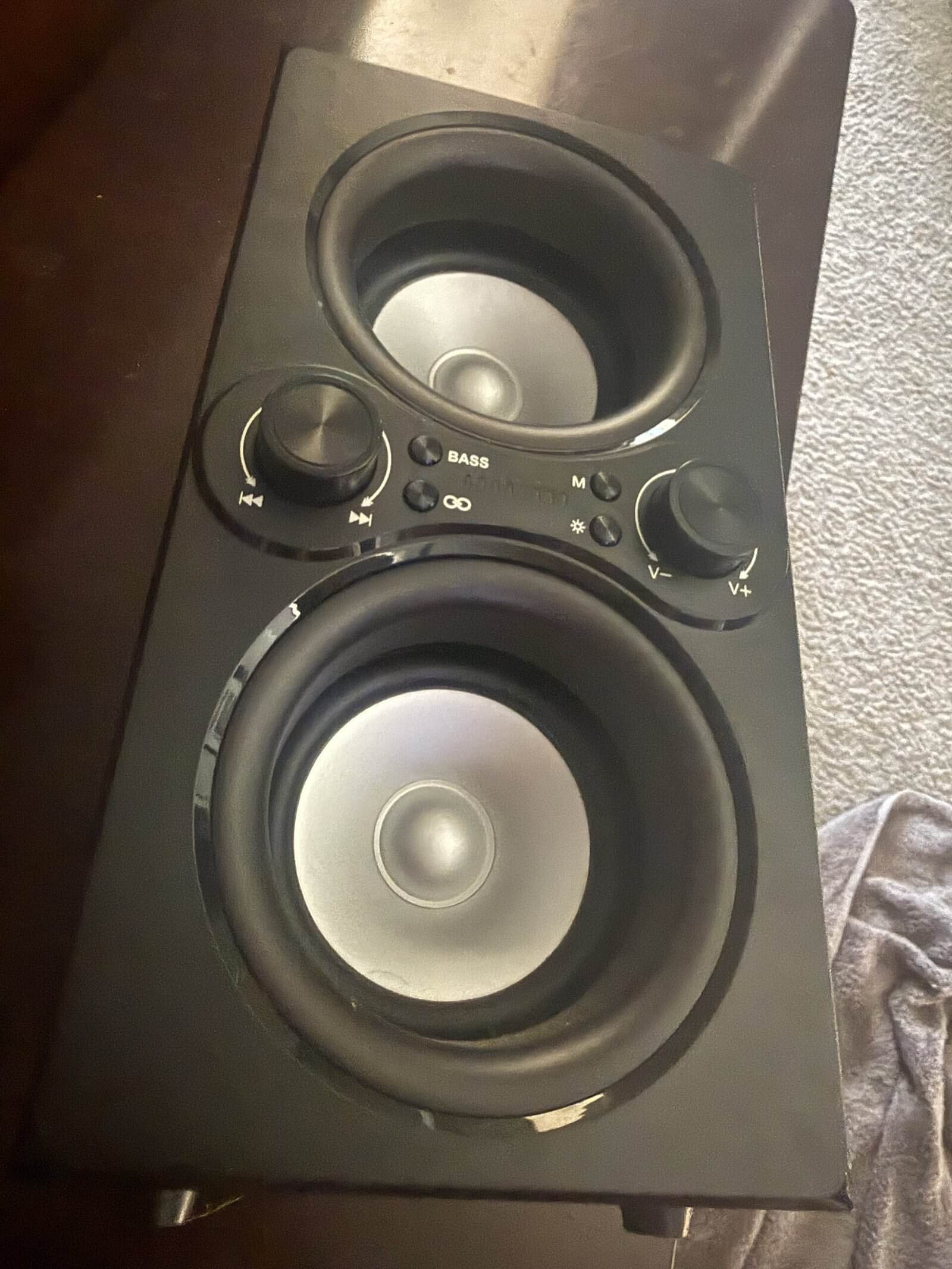
Mine is a large portable with a carry handle, and it has been in use for over two years. It has a bass button alongside knobs for volume and playback.
It gets disinfecting wipes and nothing else. That is the whole routine rather than a step in a longer process.
That covers the body and the controls, which is where the handling marks are. It does nothing for the grille either way.
Age shows in the battery. That is the part of it that has changed over the time I have owned it.
The honest boundary is that the brush and vacuum steps above are research rather than something I do. I have not taken either to the grille, so I cannot tell you how much a speaker of this age gives up by skipping that. Our guide to how long a Bluetooth speaker battery should last covers the part that did change.
Ports, Seals, and the Microphone
A charging port that has stopped seating a cable properly is usually packed with lint rather than broken.
Clear it with a dry soft brush or a wooden toothpick, working gently. Metal picks scratch the contacts inside, and liquid has no business in there at all.
Compressed air is worth avoiding near openings, because it pushes debris further in and can force it past a seal. The same applies to vacuum suction directly over a microphone hole.
Rubber port flaps are the part that fails quietly. Keep them clean and dry, since a stiff or cracked flap stops being a seal. Our roundup of speakers with physical buttons covers the control types that survive regular handling.
After It Gets Wet
A splash on a water-resistant speaker is not an emergency, but drying it properly is what keeps the rating meaningful.
Wipe it down with a dry cloth or towel, then let it air-dry to clear the rest. Patience does the work here.
Forced hot air is the mistake to avoid. A hair dryer can warp plastic, damage the driver, and drive moisture deeper rather than out.
Leave the charging flap open while it dries, and wait until it is fully dry before plugging anything in. Our guide to why a Bluetooth speaker keeps disconnecting covers the faults people blame on moisture that turn out to be signal.
What to Keep Away From It Entirely
- Bleach and hydrogen peroxide. Both attack finishes and neither is necessary.
- Solvents and paint thinner. These dissolve the coating you are trying to clean.
- Aerosol sprays. A spray reaches openings a cloth never would.
- Abrasive pads and powders. They scratch plastic and dull a finish permanently.
- Compressed air near holes. It relocates debris inward instead of removing it.
- Submerging it. Water resistance is not an invitation to soak it in cleaner.
- Anything applied to the microphone. Leave that opening completely alone.
For related reading, our roundup of Bluetooth speakers with carry handles covers the portables that pick up the most handling, our roundup of smart speakers covers the fixed alternative that stays in one place, and our guide to choosing a soundbar covers the other speaker in most rooms.
Frequently Asked Questions
How do you clean a Bluetooth speaker?
Begin with a soft dry cloth on the hard surfaces, then lift dust off the grille outward rather than pressing it in. Clear the charging port with a dry brush or a wooden toothpick. Dampen the cloth rather than the speaker for stubborn marks, and keep moisture out of every opening.
Can you use disinfecting wipes on a speaker?
On hard nonporous surfaces, often yes, and some manufacturers explicitly permit it. Others say to avoid isopropyl alcohol and solvents because they damage the finish, so check your own model’s care instructions. The consistent rules are no bleach, no hydrogen peroxide, and nothing on fabric.
How do you clean a fabric speaker grille?
Use a vacuum with a hose and a soft, non-moving bristle attachment, which lifts debris away from the weave rather than pushing it toward the driver. Keep liquid off fabric entirely. Skip lint rollers, since they can leave adhesive residue behind in the material.
What do you do about a charging port full of lint?
Clear it with a dry soft brush or a wooden toothpick, working gently and from the edges inward. Avoid metal picks, which scratch the contacts, and avoid liquid completely. A port that has stopped holding a cable firmly is usually packed rather than damaged.
Is compressed air safe for a speaker?
It is worth avoiding near any opening. Air pressure relocates dust further inside rather than removing it and can force debris past a seal. The same caution applies to holding vacuum suction directly over a microphone hole, which is a part to leave entirely alone.
How do you dry a speaker that got wet?
Wipe it with a dry cloth or towel, then let it air-dry to clear the remaining moisture. Leave the charging flap open while it dries and wait until it is fully dry before plugging in. Avoid a hair dryer or any forced hot air, which can warp plastic.
Does a dirty grille affect the sound?
It can. Dust packed into a fabric weave or across perforations restricts airflow in front of the driver, which reduces output and dulls high frequencies. The effect builds slowly enough that most owners never notice it happening, which is why periodic dry cleaning is worthwhile.
Can you put a speaker cover in the wash?
Only if it is a removable accessory sold as washable, and then only by its own instructions. A grille that is part of the speaker body is not removable and must never be soaked. When in doubt, treat the fabric as fixed and clean it dry.
