
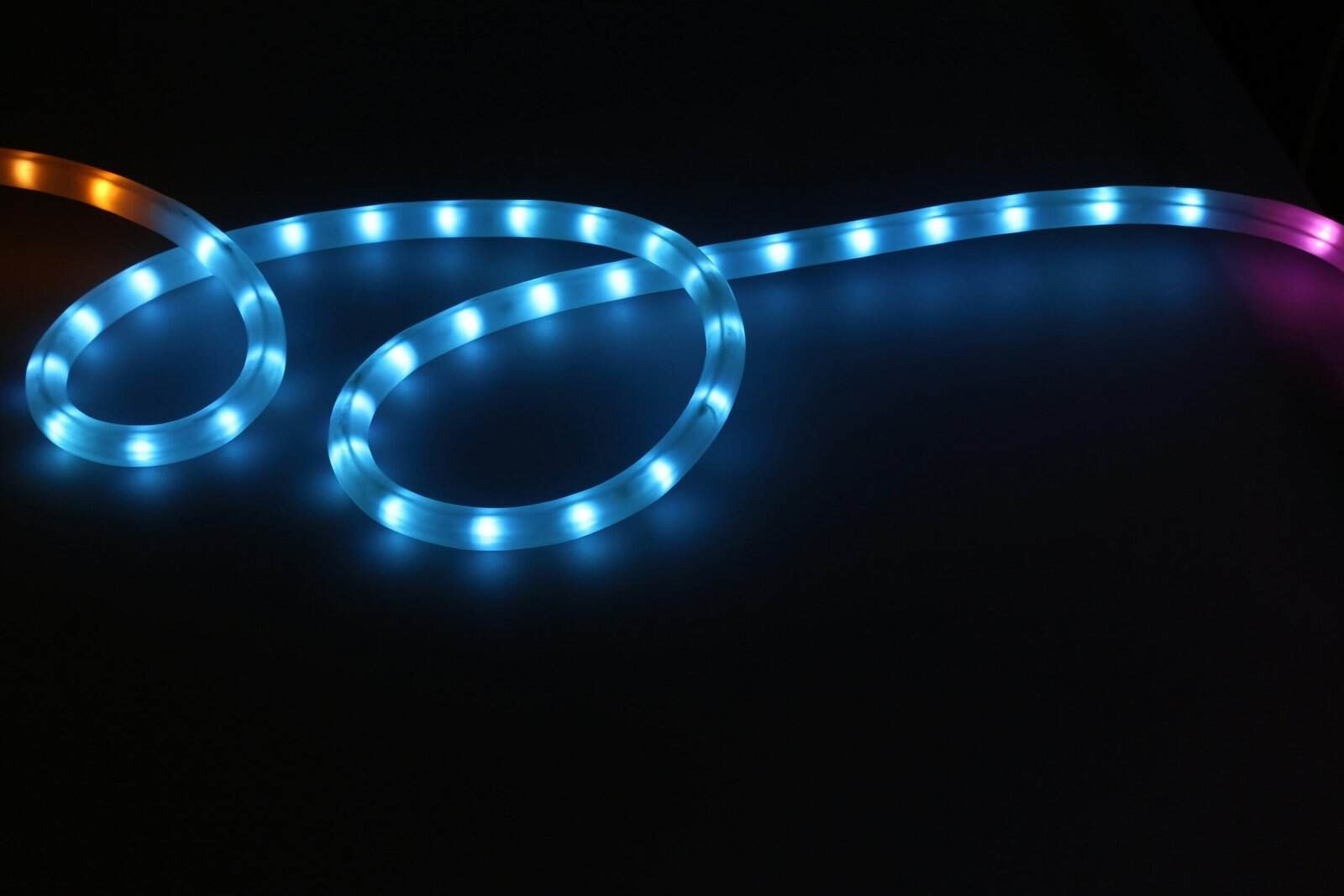
Most smart lighting upgrades mean swapping every bulb in the house. Smart light strips skip that, adding color and glow exactly where you want it, behind a TV, under cabinets, or along a shelf, from a single peel-and-stick run. The best smart light strips bend around corners, take voice commands, and shift colors on a schedule without rewiring a thing.
For most rooms the Govee strip gives you the most color for the money. If you want a tighter ecosystem, brighter output, or a designer look, one of the other picks fits better below.
Quick verdict: Reach for the Govee strip first, since it pours on color and effects for a low price. The Philips Hue Lightstrip is the pick for a polished, hub-based setup, and LIFX runs bright with no hub at all. Nanoleaf leans into design, the Cync strip covers the middle ground on a budget, and the Wyze strip brings smart color to the cheapest setups.
| Your situation | Best pick | Why |
|---|---|---|
| Most rooms, best value | Govee | Rich color, low price |
| Polished ecosystem | Philips Hue Lightstrip | Hub, reliable, broad support |
| Bright, no hub | LIFX | High output, wifi direct |
| Design-forward | Nanoleaf | Decor-grade effects |
| Budget middle ground | Cync by GE | Solid features for less |
| Cheapest smart color | Wyze Light Strip | Low price, app control |
Disclosure: SmartLifeItems is reader-supported. As an Amazon Associate, we earn from qualifying purchases made through links on this page, at no extra cost to you.
How We Picked the Best Smart Light Strips
Color quality led the ranking. A strip lives or dies on how rich and even its color looks, so we favored strips that hold a true hue along the whole run instead of fading at the ends. App and voice control came next, since the point of a smart strip is setting scenes and schedules from your phone or a speaker. We weighed brightness and run length, because a strip behind a couch needs more punch than one under a cabinet. Energy use stayed a quiet plus, as the Department of Energy notes LED lighting draws far less power and lasts far longer than older bulbs. Easy installation broke ties. Our guide on how to set up a smart home helps tie any strip into the rest of your gear.
Govee
Start here if you want the most color and the most fun for the least money. Govee strips offer segment-by-segment color, music-reactive modes, and a deep menu of effects in a friendly app. They peel and stick almost anywhere and pair with Alexa or Google for voice control.
Why It Stands Out
You get rich, addressable color and a huge effects library at a budget price. The app makes scenes and music sync easy for a first-time buyer.
Worth Knowing
The adhesive can loosen on textured walls over time, so press it firmly or add clips. The cheapest models lean on wifi rather than a hub.
Philips Hue Lightstrip
For a setup that just works year after year, the Hue Lightstrip leads. It runs through the Hue hub, which keeps response fast and reliable and ties into one of the broadest smart-lighting ecosystems around. Add bulbs and fixtures later and they all answer the same app and routines.
Why It Stands Out
The hub gives the most dependable response and the widest compatibility here. Colors are accurate, and the system scales cleanly as you add lights.
Worth Knowing
It costs the most, and the hub is part of the price. For one strip and nothing else, that overhead is hard to justify.
LIFX
When you want bright color without adding a hub, LIFX answers. Each strip connects straight to wifi and pushes high output with vivid, saturated color. It is a strong fit for a feature wall or a spot where you want the light to actually fill the room, not just glow. Every strip is another device on the network, and our guide to network limits explains what breaks first.
Why It Stands Out
Brightness and color richness rank near the top here, with no hub to buy. Direct wifi keeps the setup simple for a single room.
Worth Knowing
Many wifi devices on one network can add congestion, which a good mesh helps. The premium output comes at a premium price.
Nanoleaf
If the lighting itself is meant to be decor, Nanoleaf leans hardest into looks. Its strips and matching panels create flowing, design-grade effects that turn a wall into a feature. The app offers playful scenes, and the line plays well with major assistants.
Why It Stands Out
The effects feel more like art than utility, which suits a media room or office wall. It pairs with Nanoleaf panels for a coordinated display.
Worth Knowing
You pay for the design focus, and raw brightness is not the goal. It shines as accent lighting more than task lighting.
Cync by GE
The Cync strip holds the middle of the market. It brings full color, app control, and voice support at a price below the premium names, without feeling bare-bones. For a bedroom or living room that wants smart color on a sensible budget, it covers the essentials.
Why It Stands Out
It balances features and price, landing below Hue and LIFX with most of the daily function. The app keeps scenes and scheduling straightforward.
Worth Knowing
The effects library is smaller than Govee’s. It aims for steady and simple over flashy.
Wyze Light Strip
On the tightest budget, the Wyze strip brings smart color within reach. It connects over wifi, runs from the same Wyze app that handles the brand’s cameras and plugs, and covers the basics of color, dimming, and schedules. For a first smart strip or a kid’s room, it does plenty for the price.
Why It Stands Out
It is among the cheapest ways to add app-controlled color to a room. The shared Wyze app keeps everything in one place if you own other Wyze gear.
Worth Knowing
Build and brightness sit below the premium strips. It leans on wifi, so a crowded network can slow response.
Recommended read: Strips pair well with the rest of a lighting setup. See our picks for the best smart bulbs, the best smart light switches, and the best smart blinds and shades to tune a whole room together.
How to Choose a Smart Light Strip
The right strip comes down to color type, brightness, length, and how it connects. A few details decide whether a strip looks rich or washed out.
Color Type
Look for addressable color if you want sections of the strip to show different hues at once. A single-color strip costs less but lights the whole run one shade.
Brightness and Placement
Match output to the job. A bright strip suits a feature wall or backlighting a large TV, while a softer one is plenty under cabinets or along a shelf.
Length and Cutting
Measure the run before you buy, and check where the strip can be cut or extended. Corners need a flexible strip or connectors to turn cleanly.
How It Connects
Decide between hub and direct wifi. A hub like the one in our smart home hub guide adds reliability, while a strip that pairs with your smart plugs keeps a simple setup tidy.
Hub Strips vs WiFi Strips
How a strip connects shapes both its reliability and its price, and the right choice follows your setup.
When a Hub Strip Wins
A hub-based strip like Hue responds fast and stays steady even with many lights, since it runs off its own network rather than your wifi. It suits a home you plan to fill with smart lighting.
When a WiFi Strip Wins
A direct-wifi strip skips the hub and the extra cost, which suits one or two strips in a room. Voice control through a speaker from our smart speaker guide works either way, as long as the strip supports your assistant.
Common Smart Light Strip Mistakes to Avoid
A strip can look rich or cheap depending on a few choices. Avoid these to get the effect you pictured.
Skipping the Surface Prep
The adhesive fails on dusty, textured, or cold walls, and a sagging strip ruins the look. Wipe the surface clean and dry first, and add mounting clips on rough spots.
Expecting Rainbows From a Single-Color Strip
A basic strip lights the whole run one shade, so it cannot show the flowing multi-color effects you see online. For sections of different color, buy an addressable strip from the start.
Mounting the Strip in Plain View
Strips look best as hidden backlight rather than a visible row of dots. Tuck the strip behind a TV, shelf, or cabinet lip so you see the glow, not the diodes.
Frequently Asked Questions
What is the best smart light strip?
The Govee strip suits most rooms. It offers rich, addressable color and a deep effects library at a low price. For a more reliable, expandable system, the Philips Hue Lightstrip with its hub is the stronger pick.
Do smart light strips need a hub?
Not always. Many strips, including Govee, LIFX, and Wyze, connect straight to wifi with no hub. A hub-based system like Philips Hue costs more but responds faster and stays steadier as you add lights.
Can you cut smart light strips to length?
Most can be trimmed at marked points, though cutting can disable the cut-off section’s color control. Measure your run first, and use connectors to turn corners or extend the strip where needed.
Are smart light strips expensive to run?
No. They use LED lighting, which draws far less power than older bulbs and lasts for years. Running a strip a few hours a night adds very little to a typical electric bill.
Where should I put a smart light strip?
Common spots include behind a TV, under kitchen cabinets, along shelves, and behind a headboard. Pick a clean, flat surface for the adhesive, and place brighter strips where you want the light to fill the room.
Can you connect two light strips together?
Many strips extend with add-on sections or connectors up to a length limit set by the maker. Check that limit before buying, since going past it can dim the far end or strain the power supply.
Do smart light strips work with Alexa and Google?
Most major strips support both, plus app control. Confirm the assistant on the box if you want voice commands, and pair the strip with a speaker that runs the same assistant.
Will the adhesive damage my walls?
Peeling a strip off fast can lift paint, especially after a long time up. Warm the adhesive gently and pull slowly, or mount the strip on a back panel rather than directly on painted drywall.
Related Reading
Explore more: smart smoke detectors, and smart doorbells. Also explore: cocktail shakers bar tools. Also explore: lazy susans and turntables, and laundry hampers and baskets.
Recommended Reading
See also our guides to smart water leak detectors.
